> For the complete documentation index, see [llms.txt](https://charsnap.gitbook.io/charsnap/llms.txt). Markdown versions of documentation pages are available by appending `.md` to page URLs; this page is available as [Markdown](https://charsnap.gitbook.io/charsnap/basics-for-creators/character-creation/bot-collaboration.md).
# Bot Collaboration
It's exactly as it says. You can now collaborate with at most two other creators (up to three users. You and TWO other creators) on a bot! Hurray to bot-making!
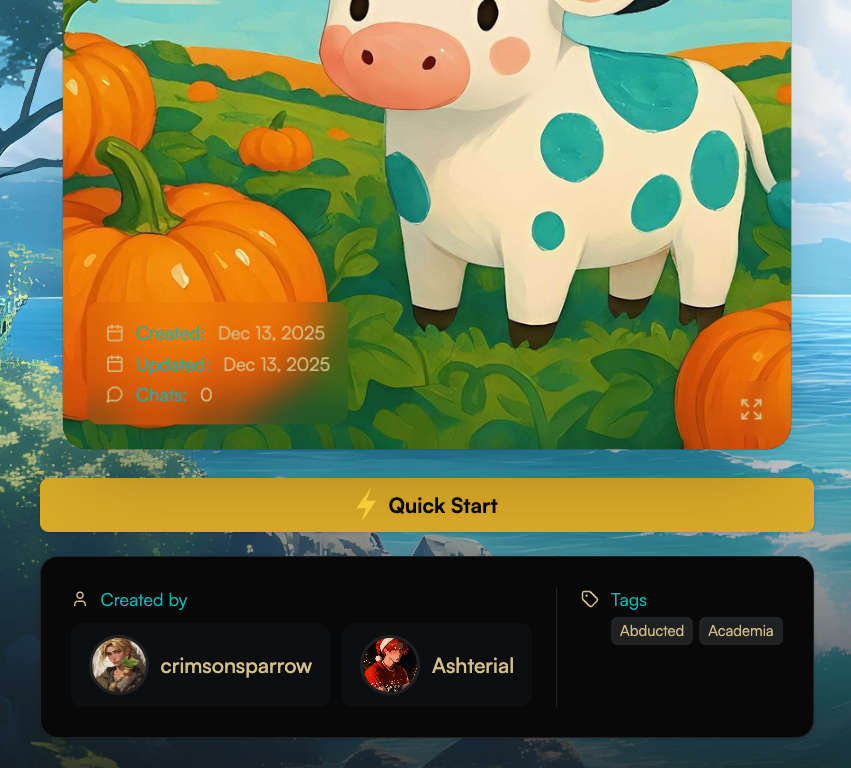
Creator + Collaborator Card Preview
When you collaborate with another creator, you and their names will show on the card preview and on the profile itself! Everyone that has participated in the creation of the bot will have their usernames and profiles on the bot card and display. Both icons AND names will be shown. See for reference below:
Preview of Bot Profile View - Created By
#### How to Add Collaborators
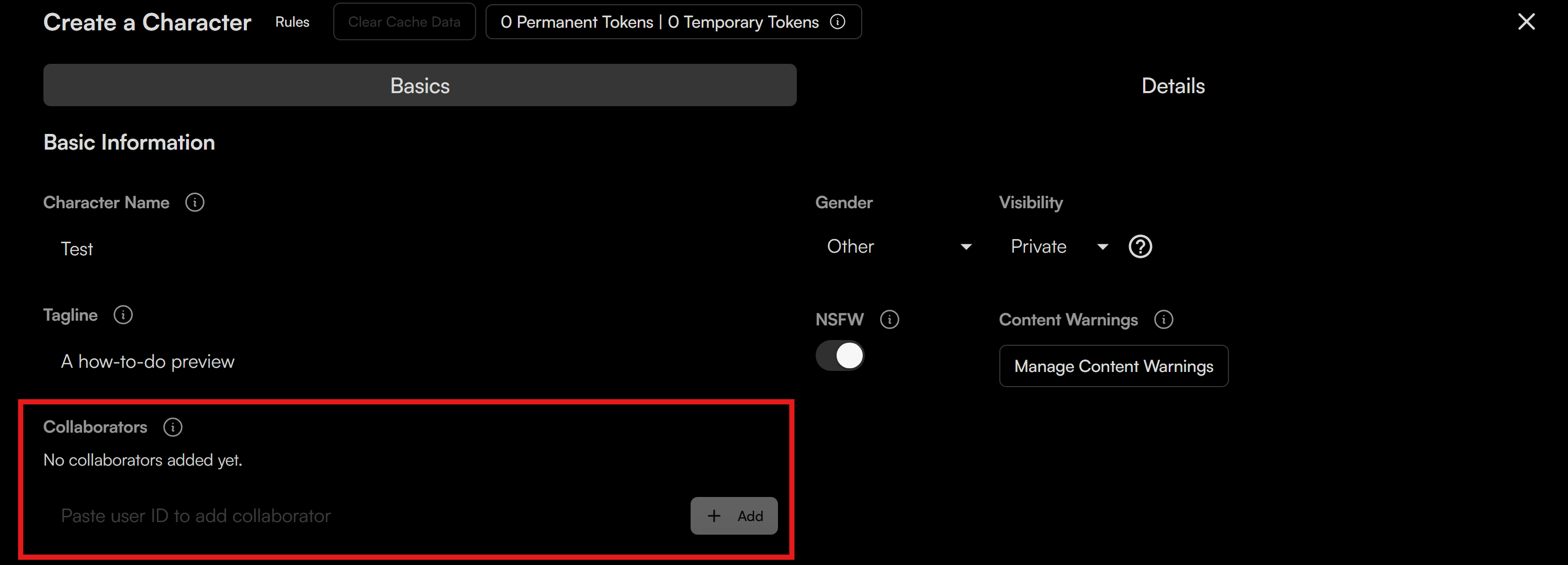
If you want to add collaborators to a bot, make sure you have the Basics tab open on the Create a Character menu. In that menu, you will see a **Collaborators** field. Instead of their username, you have to use and paste the creator's ID. Now how do you get a creator's ID? Good question. Let me show you. Let's take a look at crimsonsparrow's profile for example.
User ID Preview
To get a User's ID, you need to go to their profile page. Once there, you will see at the top of the URL a special code sequence AFTER the `creator/` input. See the red box in the image above this text for reference. You will want to copypaste that entire field as that is the user's entire ID. Once you have it, you can go back into the Create a Character creation page and paste the ID of your user of choice to collaborate with.
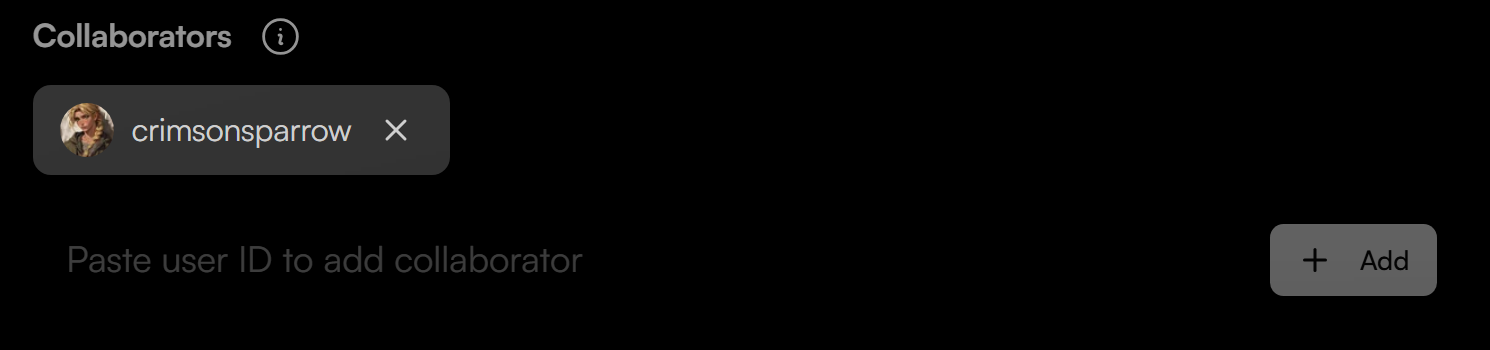
If successful, the user's profile should show up like this in the collaborators tab.
#### Some Info About Bot Collaborations
* Only the original creator can ADD collaborators to a bot.
* The added collaborators CANNOT manage access, but they CAN remove themselves as a collaborator if they want to.
* Added collaborators CANNOT delete the bot, but they CAN ship updates AND publish it.
* Chat counts will ONLY count towards the original creator and NOT the collaborators.