> For the complete documentation index, see [llms.txt](https://charsnap.gitbook.io/charsnap/llms.txt). Markdown versions of documentation pages are available by appending `.md` to page URLs; this page is available as [Markdown](https://charsnap.gitbook.io/charsnap/tips/image-sizes.md).
# Image Sizes
The dimensions and aspect ratios for bot and your profile.
For those who are aesthetic profile gurus, you are probably looking for this page. Over here we have noted the exact dimensions and aspect ratios (if applicable) to all possible image uploading sections on CharSnap. Hope that you find this useful!
Bot creation images
Check the image above for reference. From left to right, the following dimensions and aspect ratios for the bot creation images are:\
\
\- Full Picture: 4:5\
\- Profile Picture: 1:1\
\- Background Splash Art: 16:9
Preview of profile images
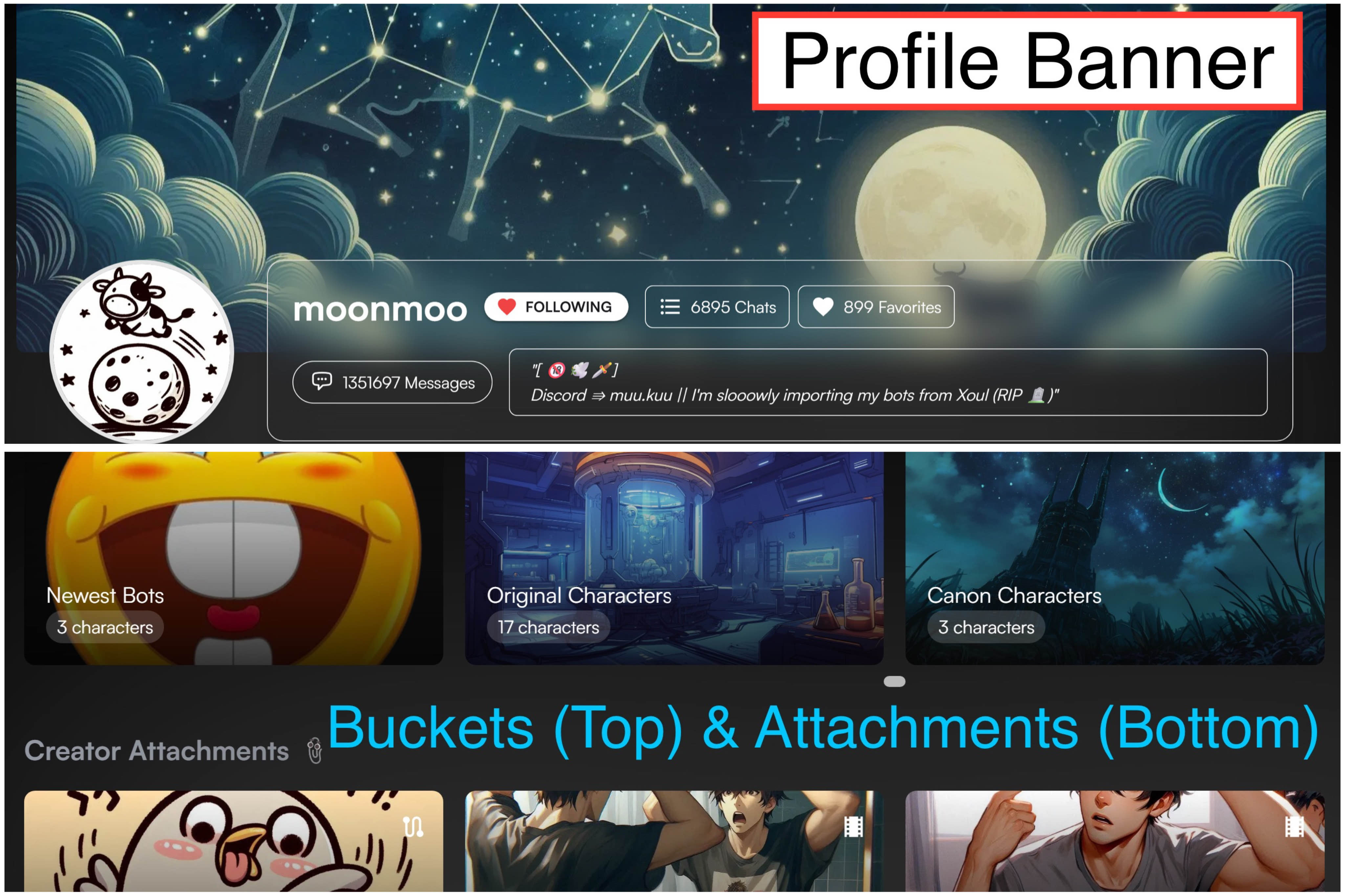
Above this message is a preview of your profile banner, buckets, and attachment photos. You can find this on your own and others' profiles. The dimensions for these displays are:\
\
\- Profile Banner: 1544x353\
\- Bucket + Attachment: 374x210
If you would like a visual comparison between how profile banners / headers would look on desktop versus mobile, it would be best to check out the following images below this text. They are made to show you what displays and parts of your images get trimmed off / shown on your profile display.
Credit to ivy_mike
The picture ABOVE primarily shows the differences of how much the mobile versus desktop shows depending on your device. Desktops will have a more horizontal/wider display of your profile banner. On the other hand, mobile will have an even a larger width AND length preview of your profile banner.
Now below this text is a general idea of what both mobile and desktop previews are going to look like WITH the UI added on top. The greyed out boxes basically tell you what sections of your profile banner will be concealed / not shown.